AI chat for every website
Your website answers questions now. The rest become leads.
MooseChat reads your site and answers visitors from it, with a link to the page each answer came from. When it doesn't know, it takes their details and sends them to you.
7-day free trial.
Works on
- WordPress
- Webflow
- Framer
- Shopify
- Squarespace
and sites made with AI builders like Lovable, Bolt or v0, or anywhere you can add a script.
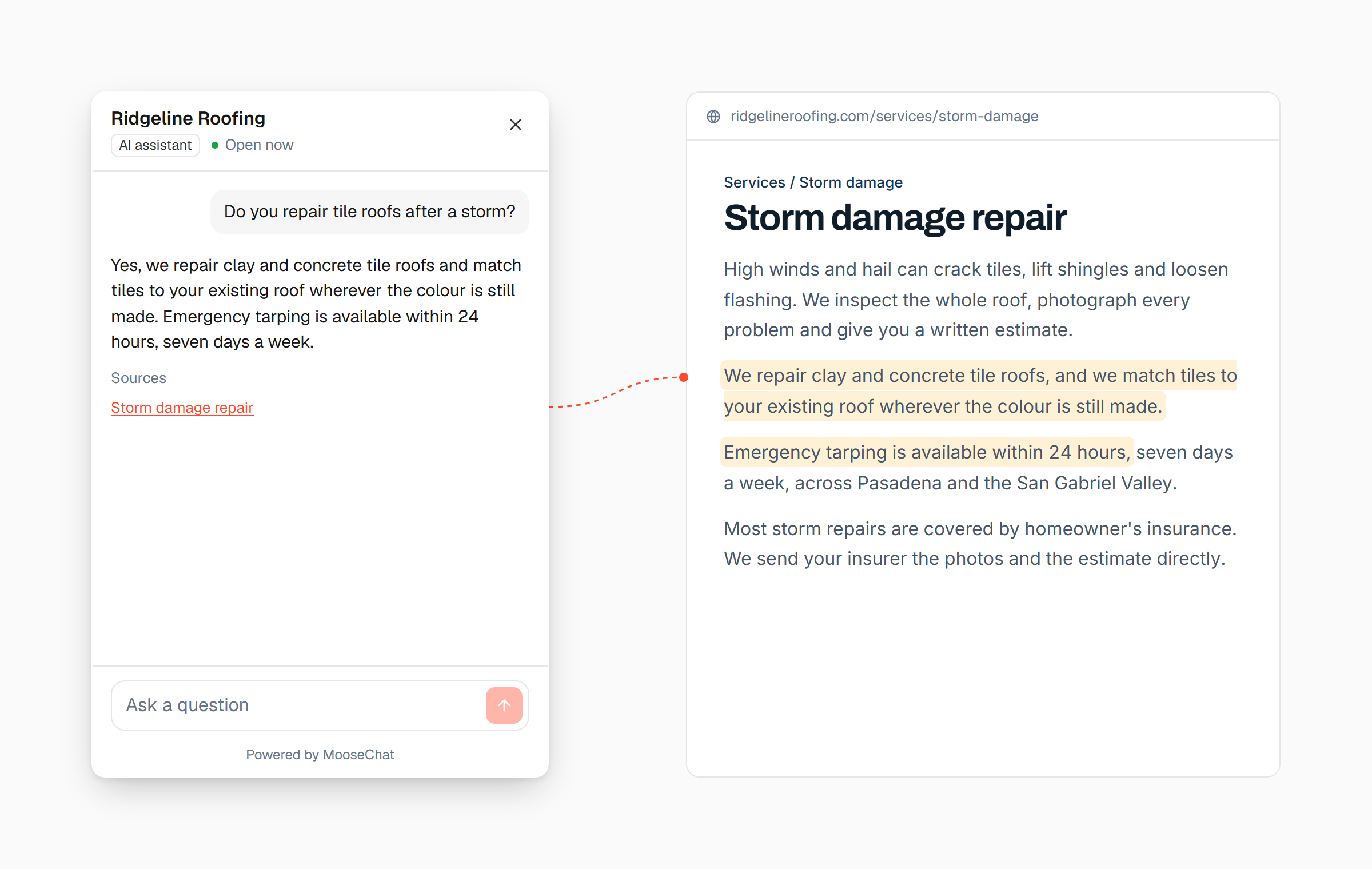
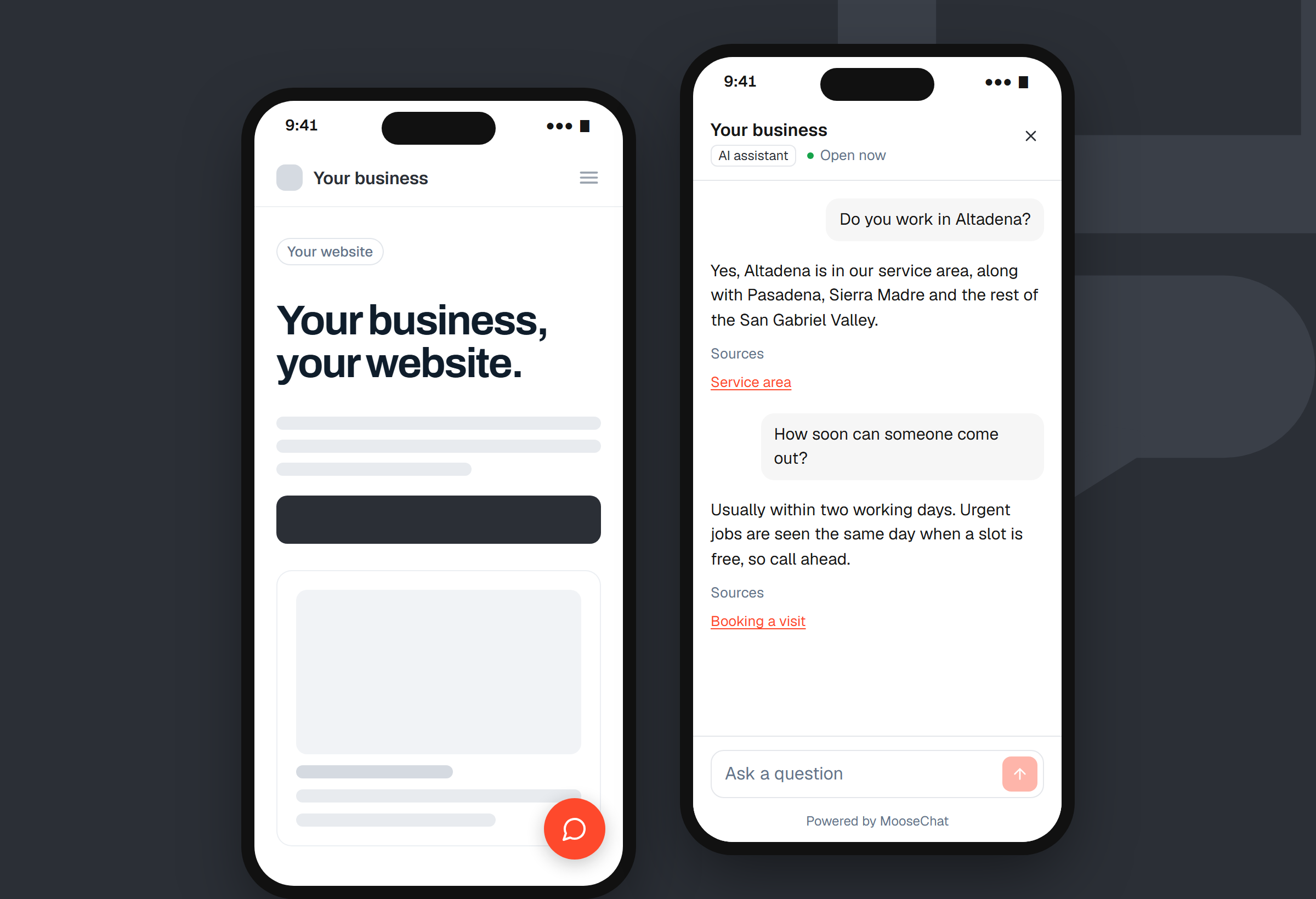
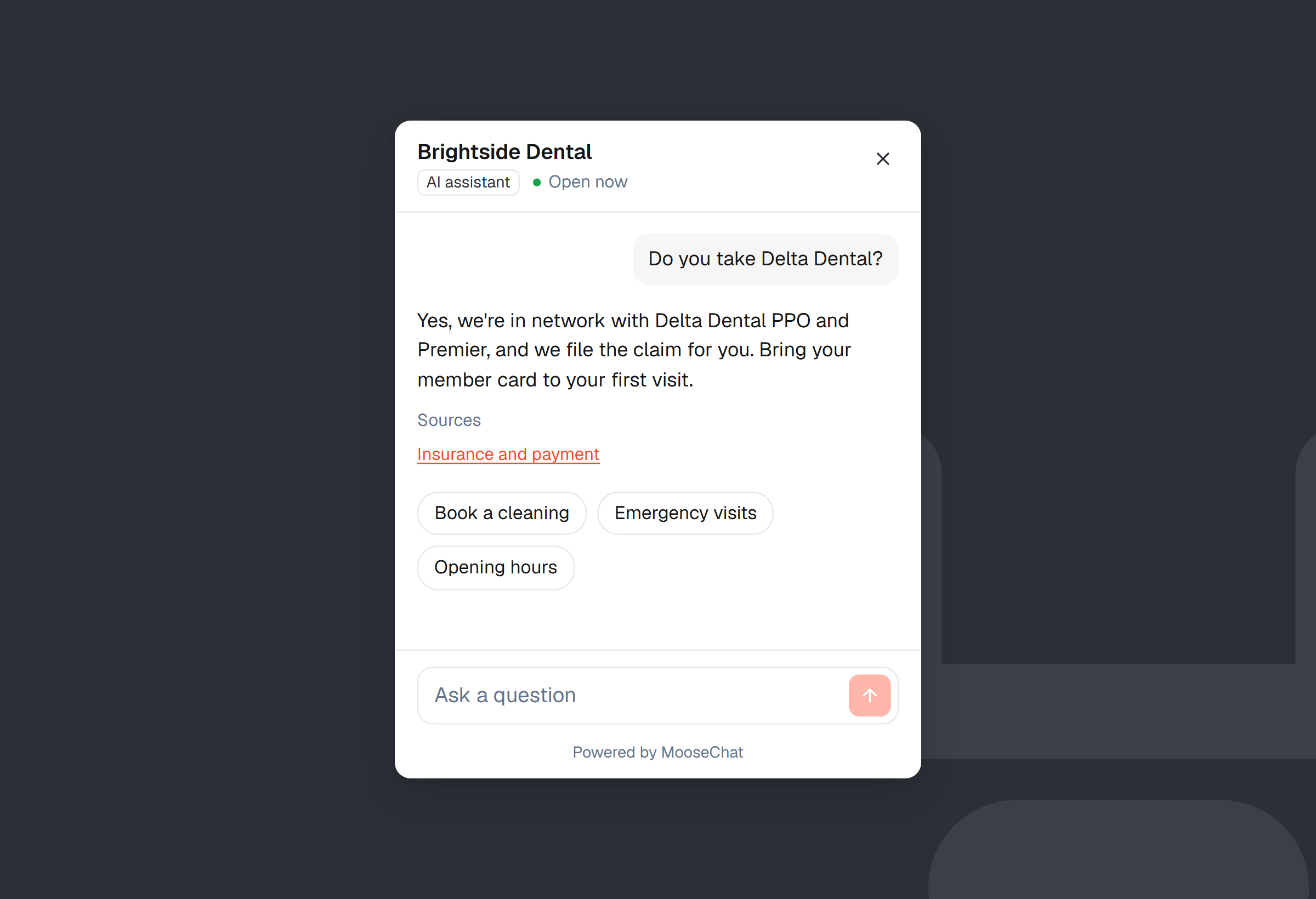
Every answer shows its source
A link to the page on your site that the answer came from.
No answer, no guess
If your site doesn't say it, the chat says so and takes the visitor's details.
From $39 a month
Priced by conversations. No credits, no model multipliers.
It answers only from your website. And shows where each answer came from.
No made-up prices, policies or promises. If your site doesn't say it, MooseChat says it doesn't know and offers to take a message.
Reads everything you give it
Your pages, PDFs and Word files, text you paste, and questions you answer yourself.
Knows your business details
It finds details like your hours, returns policy and booking link, and uses them once you confirm them.
Speaks your visitor's language
Someone who asks in Spanish gets the answer in Spanish, from your English pages.
Try it
Ask it something.
Pick a website, then a question, and see what its visitors get.
- Answers link to the page they came from.
- Two of these questions aren't answered on the site. See what happens.
7-day free trial.
Ridgeline Roofing
Hi! Ask me about Ridgeline Roofing's services, prices, hours or service area.
Pick a question
Powered by MooseChat
Kestrel Coffee Roasters
Hi! Ask me about Kestrel Coffee's coffees, shipping or returns.
Pick a question
Powered by MooseChat
Rotawell
Hi! Ask me about Rotawell's plans, free trial or integrations.
Pick a question
Powered by MooseChat
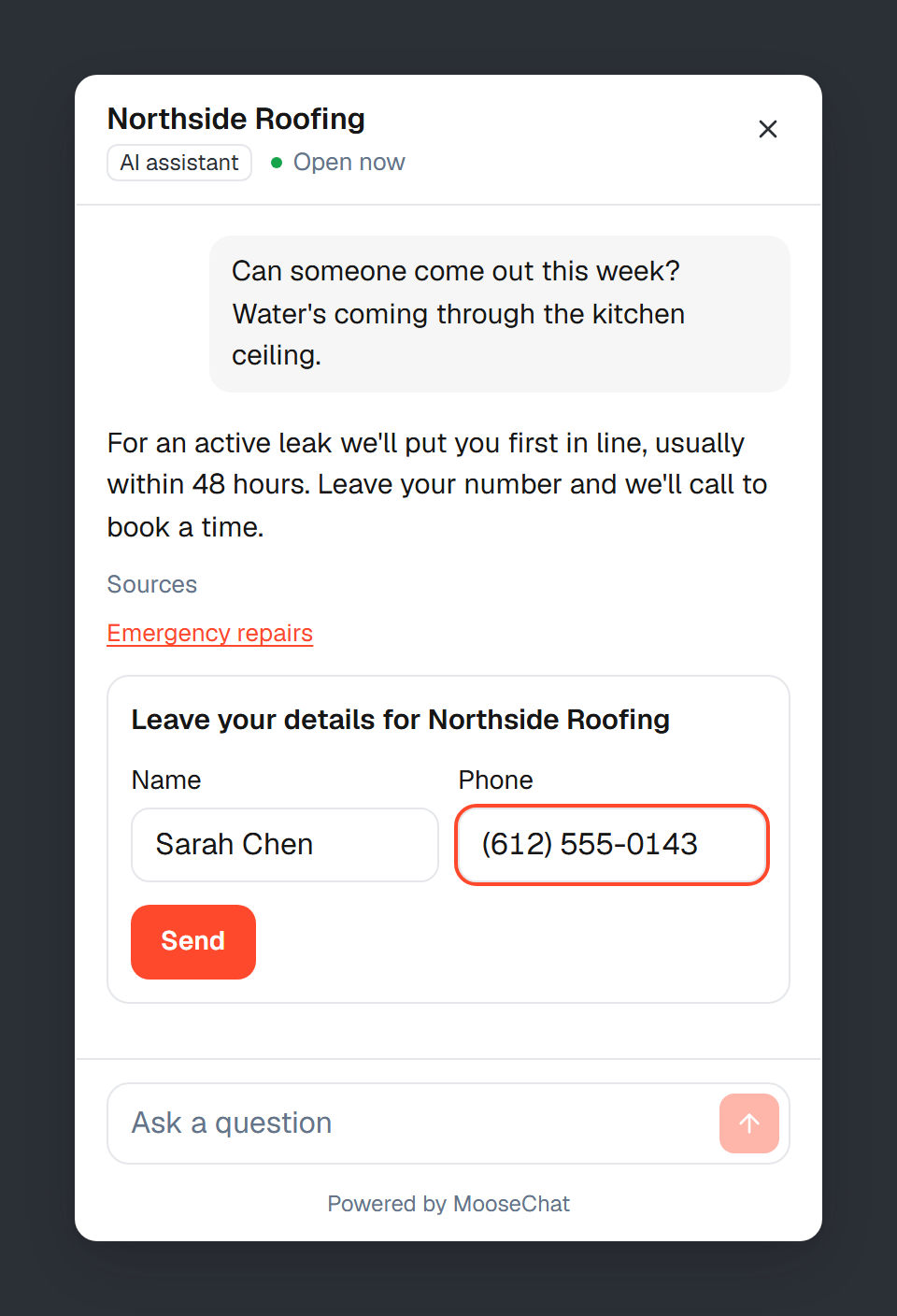
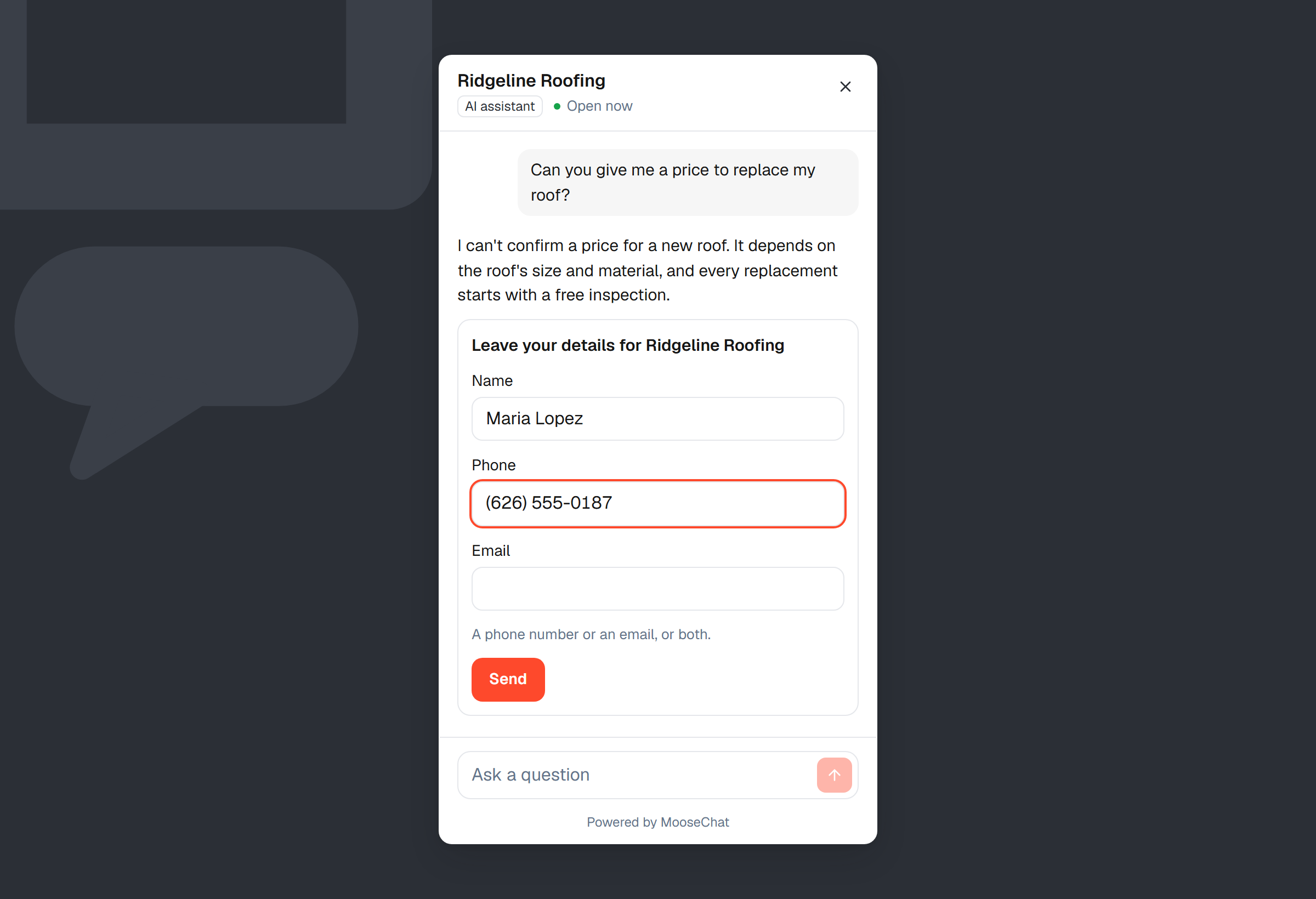
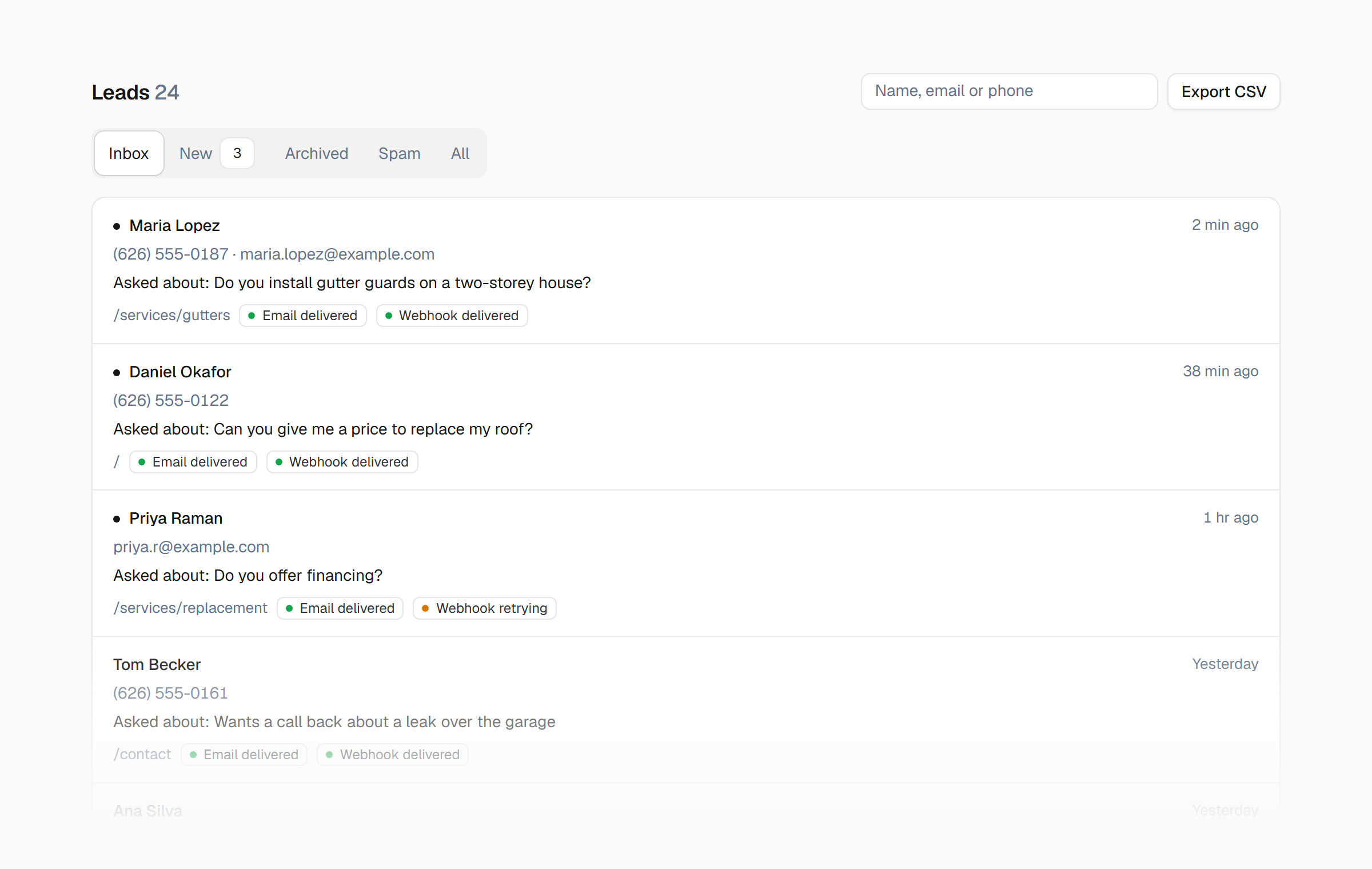
When it doesn't know, you still get the lead.
A question your site doesn't answer, a visitor who wants a person, a busy month past your limit: each one ends the same way. A short form in the chat, and the lead in your inbox.
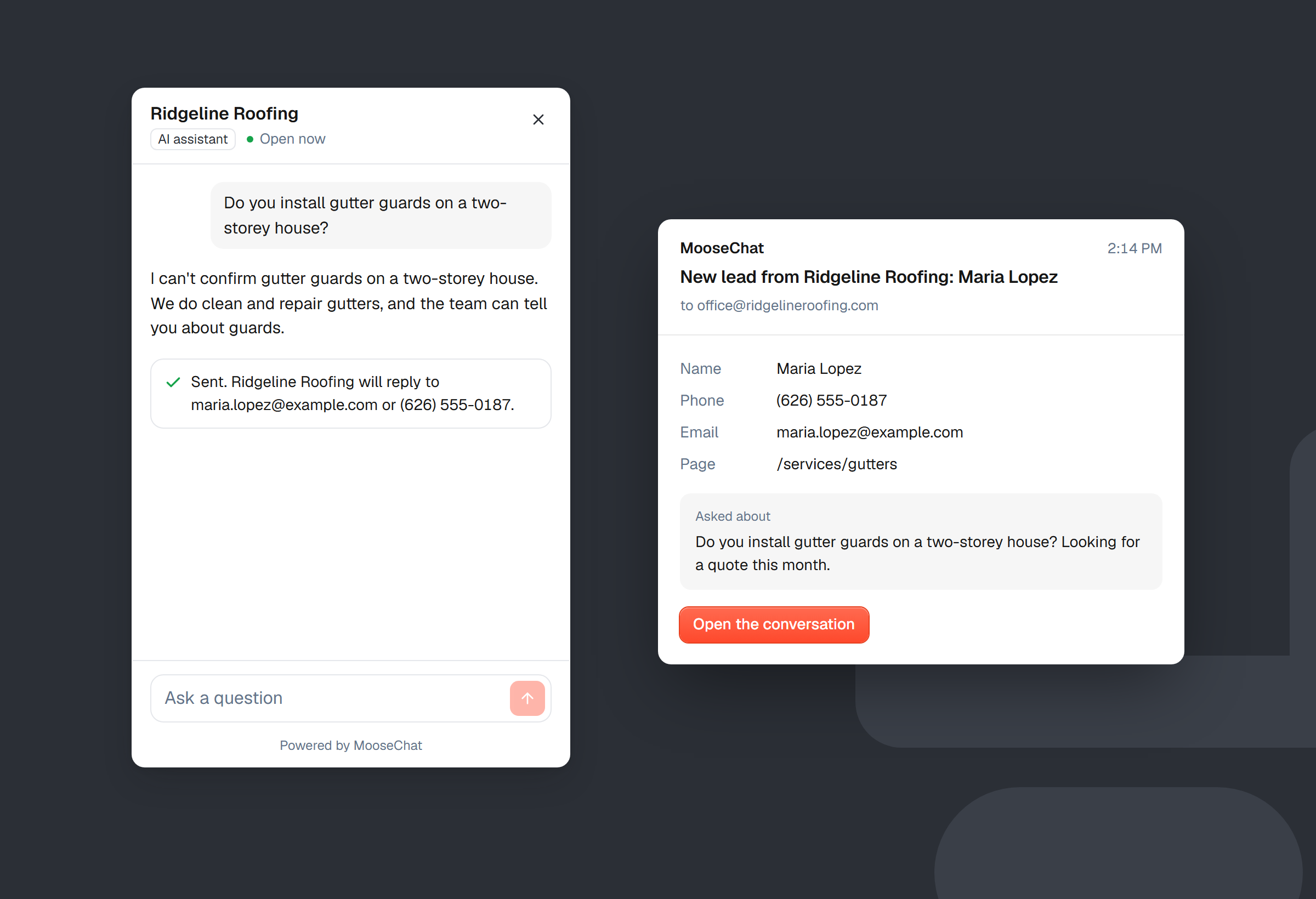
Every lead is kept, even when an email bounces.
Leads go to your email, a webhook or a MooseForm form, and a failed delivery is tried again for about an hour. Whatever happens to delivery, every lead stays in your Leads inbox.
7-day free trial.
Visitors book a time without leaving the chat.
If your booking page is on Calendly or Cal.com, it opens inside the chat when a visitor is ready to book. Their name and email are already filled in, and the chat confirms the time once they've picked one.
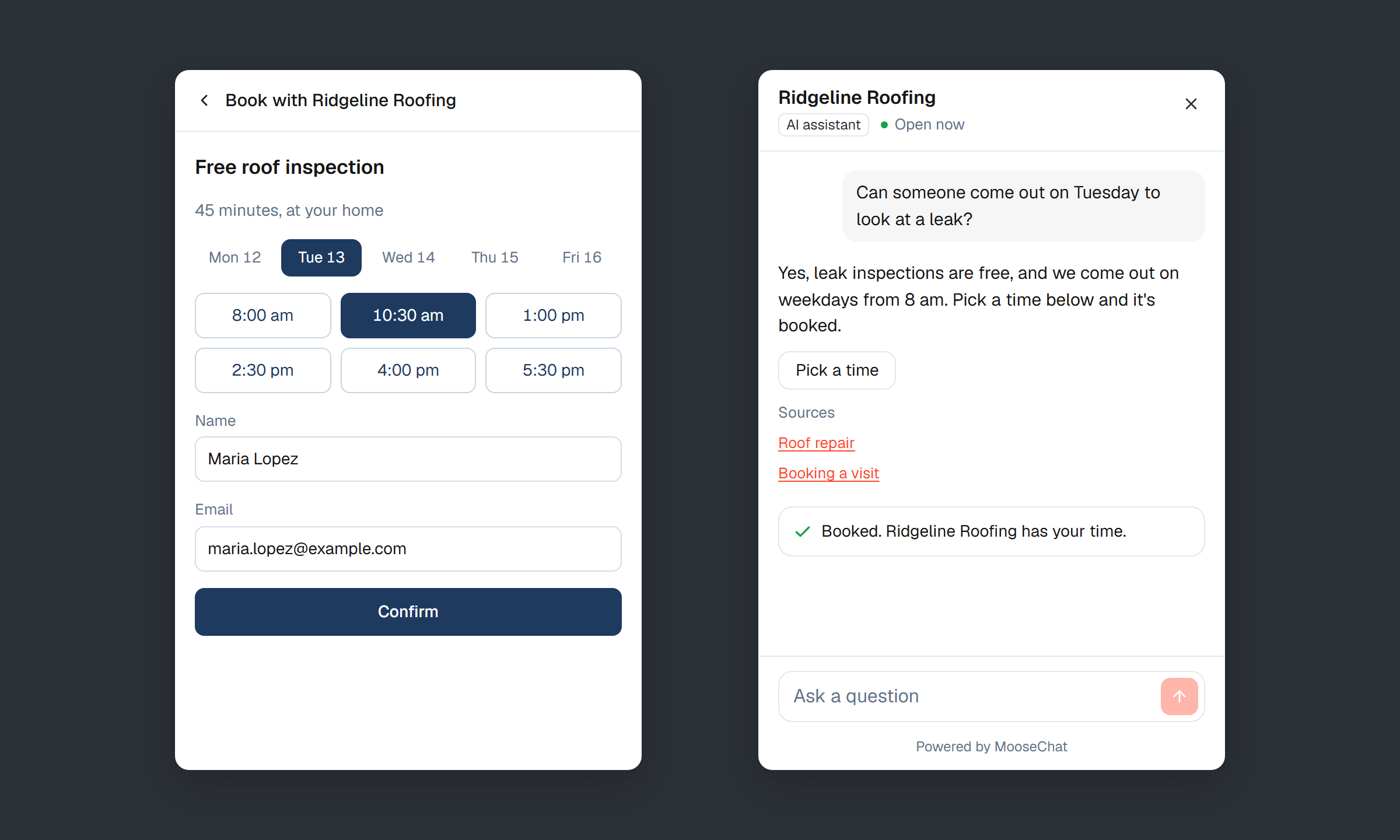
Offered at the right moment
“Pick a time” appears when someone asks to book, and next to the lead form.
A fallback that still catches them
If they close the calendar without booking, the chat asks for a number instead: “Rather we call you?”
Every booking in your inbox
Bookings land in your Leads inbox, marked Booked. A booking page on another service opens in a new tab.
On every plan. MooseChat never connects to your calendar account, so cancellations and changes stay in Calendly or Cal.com.
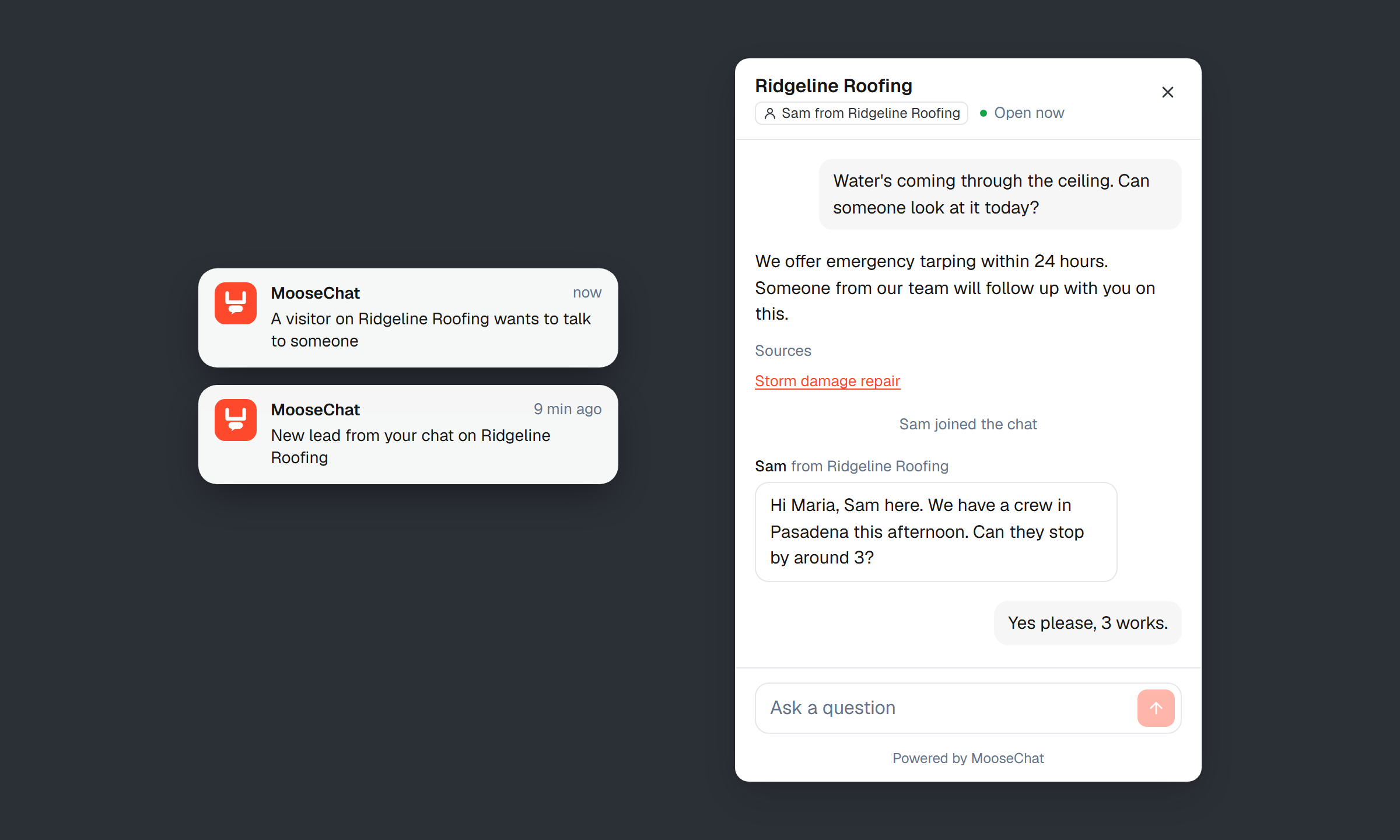
When it can't answer, you can.
Open any conversation and reply as yourself. Take it over and the AI stays quiet until you hand it back. If the visitor has already left, your reply goes to the email they gave, with a link to pick the chat back up.
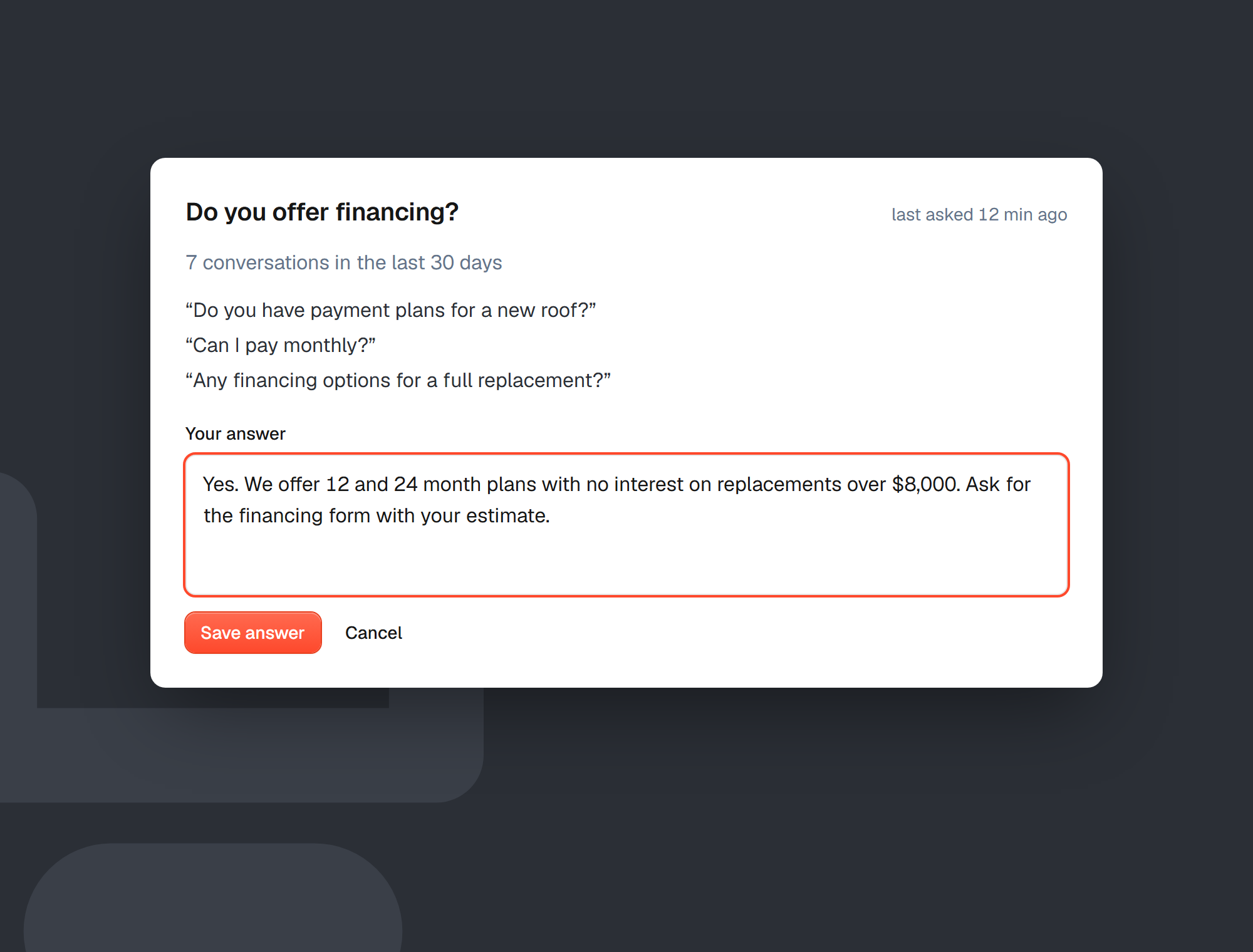
See what visitors ask that your site doesn't answer.
MooseChat groups the questions it couldn't answer by meaning, most asked first. Write the answer once and the chat uses your words from then on. Every Monday you get the week's list by email.
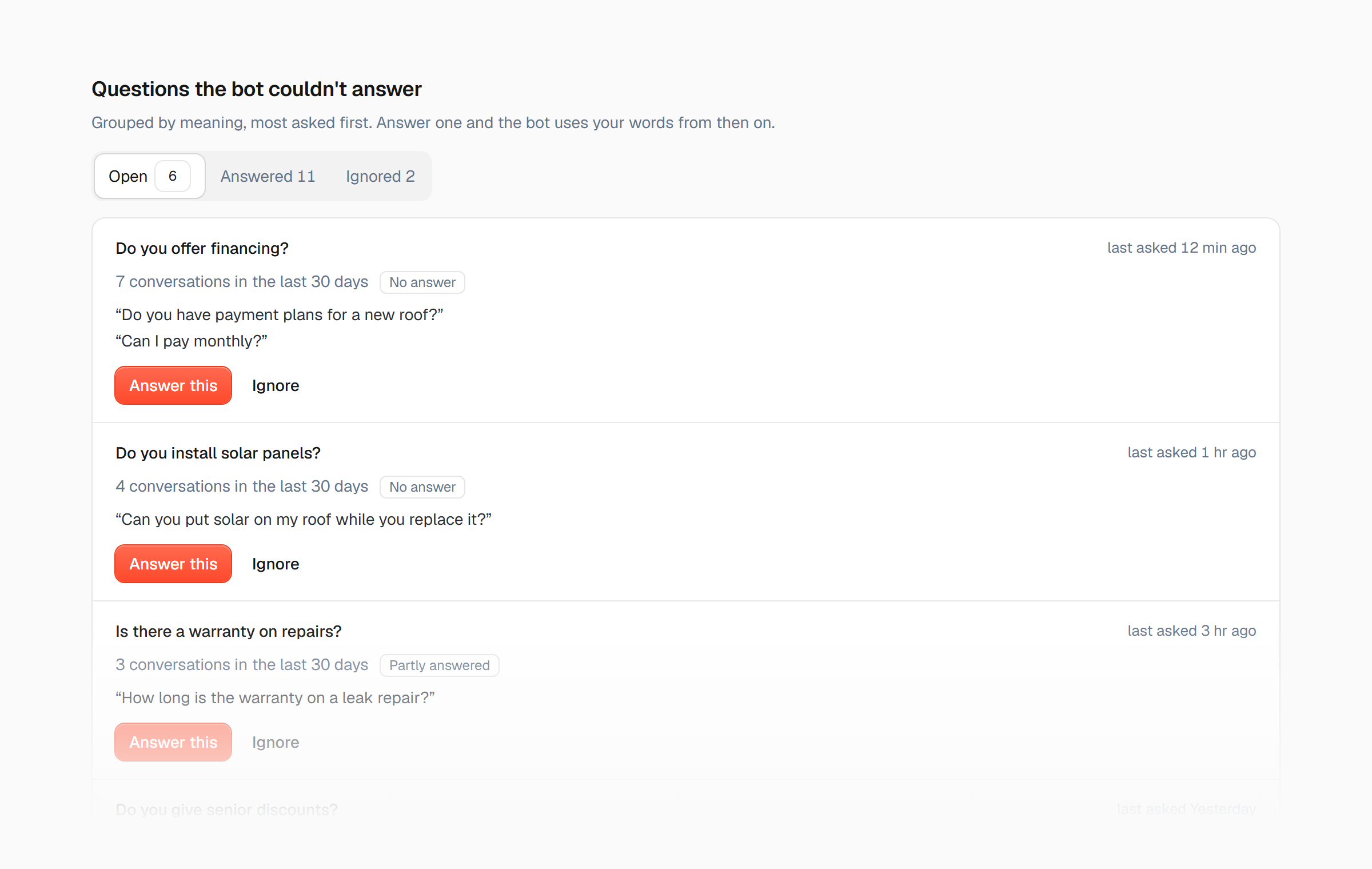
Answer once, and it's answered for good.
Your answer is saved as a question and answer the chat knows. When the next visitor asks something similar, it replies with your words.
Included on every plan. Other chat tools keep this for plans that cost $129 to $500 a month.
Live on your site in minutes. No developer needed.
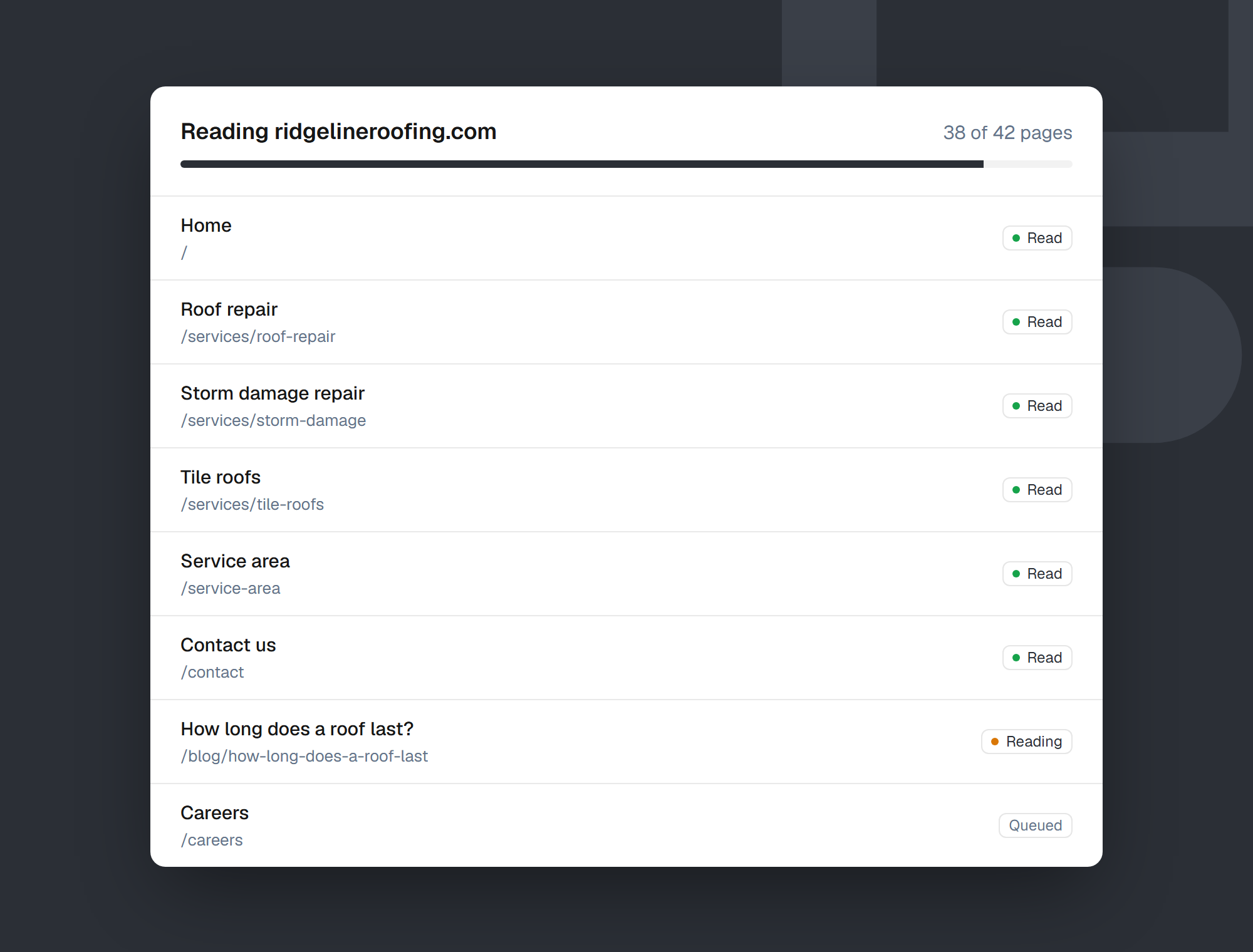
Paste your website address
MooseChat reads your pages, starting with the ones visitors ask about most: home, contact, services and prices.
Check what it knows
Ask it questions before anyone else can, and confirm the business details it found.
Add one line to your site
Paste the snippet before </body>, or follow the guide for your website builder.
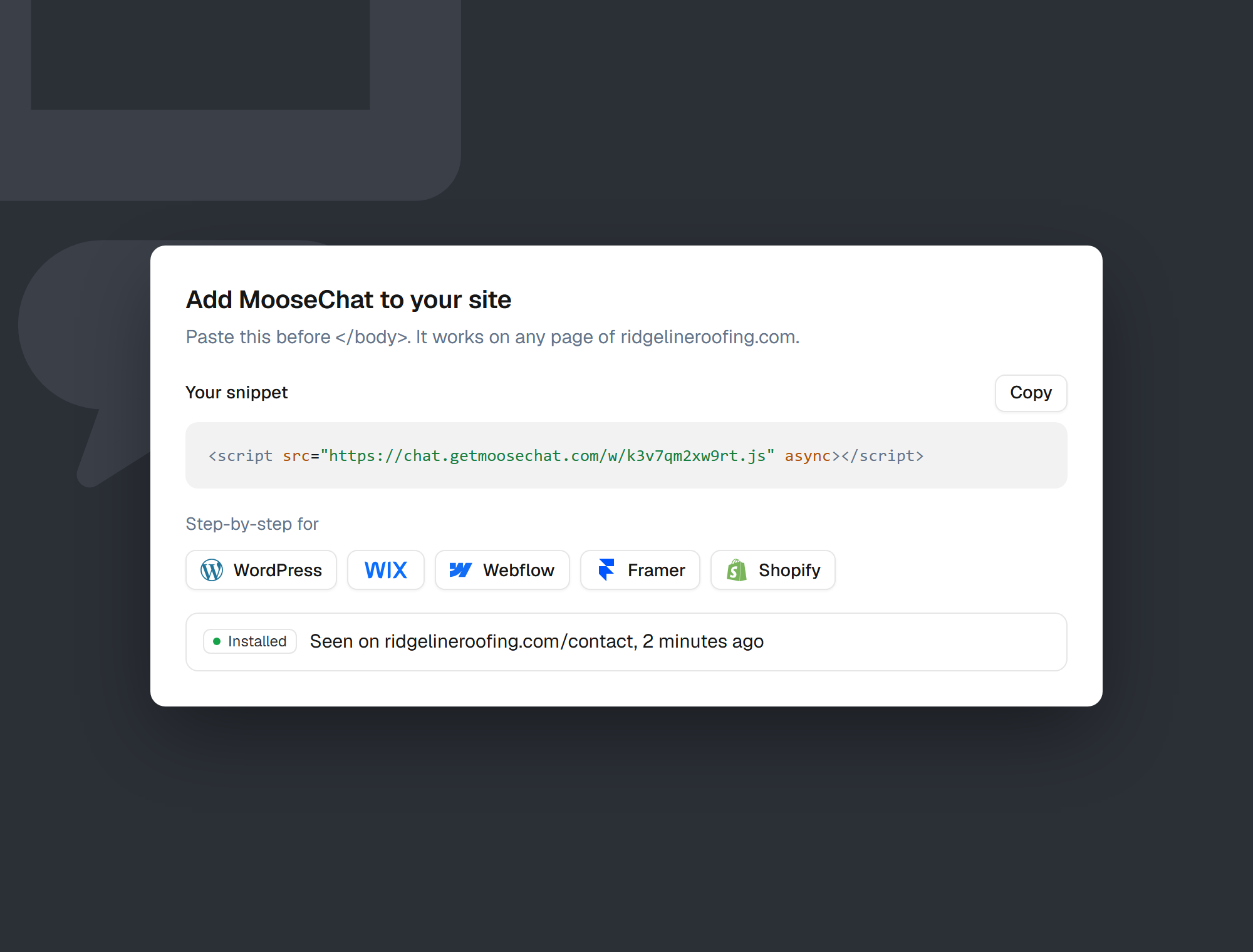
Step-by-step guides for
- WordPress
- Webflow
- Framer
- Shopify
- Squarespace
Any other site works too, if you can add a script tag. Read the quickstart
Built with an AI builder?
Ask it to add MooseChat.
 Lovable
- Bolt
- Replit
If you made your site in Lovable, Bolt, v0 or Replit, you change it by asking. MooseChat's Setup tab has a “Copy for AI builders” button with your own script tag in place: paste it into your builder's chat.
Add the MooseChat chat widget to this website.

Put this script tag once, in the layout every page shares, just before </body>. In a Vite or React app that is index.html. Don't add it to each page separately, and don't change anything else.

<script src="https://chat.getmoosechat.com/w/YOUR_BOT_ID.js" async></script>
It knows the page it's on. You decide the rest.
Knows the page
It knows which page the visitor is reading, so “how much is this?” on your gutter page gets the gutter answer.
Questions for each page
Give each page its own suggested questions.
Hidden where it doesn't belong
Leave it off pages like checkout.
Start with some visitors
Show it to a share of visitors first, say 20%, while you get comfortable.
Small print and consent
Add a line under the chat, or ask visitors to tick a box before they start.
Google Tag Manager
Opens, messages, leads and bookings show up as events, without the visitor's words.
Made for businesses that hear the same questions every day.
Do you cover my area? When will my order arrive? Does it work with Gusto? MooseChat answers those day and night, on phones and computers, for local businesses, online stores and software companies.
Local businesses
Hours, service area, prices and emergencies. Leads come with a name and phone number, and visitors can pick a time.
Roofers, dentists, salons, clinics, restaurants
Online stores
Shipping, returns and which product fits. It can't see anyone's order, so it takes their email and order number for you.
Shopify, WooCommerce and your own store
Software
Plans, trials and integrations. Questions it can't answer come to you with the visitor's company, and they can book a demo.
Apps, online tools, platforms
Simple prices. No credits to count.
You pay for conversations: one visitor's chat that got at least one answer. If you reach your limit, the chat keeps collecting leads instead of going quiet.
Solo
One business, one website.
$39/month
- 1,000 conversations a month
- Unlimited bots
- 2,000 pages
- Leads by email or webhook
- Unanswered questions and weekly digest
- Monthly re-read of your site
Recommended
Pro
Busier sites, or a few businesses.
$99/month
- 3,000 conversations a month
- Unlimited bots
- 10,000 pages
- Remove “Powered by MooseChat”
- Weekly re-read of your site
- 12 months of analytics
Agency
Agencies running client sites.
$249/month
- 10,000 conversations a month, shared
- Unlimited client workspaces
- A cap per client
- 50,000 pages
- Your brand, domain and client reports
- Unlimited team members
Every plan starts with a 7-day free trial. It needs a card; cancel before it ends and you pay nothing. Need more conversations? Add 1,000 for $29 a month, on any plan.
For agencies
One account for every client site.
Build a chat for each client in their own workspace. They share your monthly conversations, and you set a cap for each so one busy site can't use up the rest.
- Unlimited bots on every paid plan, and unlimited clients on Agency.
- You pay one bill and charge your clients your own way.
- Invite a client to see their own leads and questions, and nothing else.
- Your clients see your name, logo and colour when they sign in, and in every email they get.
- Each client gets a monthly report from you.

Building client sites in code? The install guide shows where the snippet goes in
- React
- Next.js
- Astro
- Vue
- Svelte
- Nuxt
and plain HTML. Read the install guide
Why MooseChat exists
Most AI chat tools are built for large support teams. They charge in credits that are hard to predict, and when the credits run out the chat stops working, often while a customer is asking something.
A roofer, a small online store or a two-person software company can't afford that. So MooseChat answers only from your own website, tells visitors plainly when it doesn't know, and makes sure every question ends with you having their details.
If something doesn't work the way you expect, write to me at support@getmoosechat.com.
Yusuf, founder
Questions
Will it make things up?
It answers only from your website, the files and text you give it, and the business details you confirm. Every answer shows the page it came from. When the answer isn't there, it says so and offers to take the visitor's details. It won't quote a price or promise a discount your site doesn't mention.
What do I need to get started?
Your website's address. MooseChat reads the site, and you can ask it questions straight away to check the answers. You don't need to write anything or train it.
Does it work for an online store or a software product?
Yes. A store's chat answers about shipping and returns, and asks for an order number when it takes a visitor's details. A software company's answers about plans and trials, and offers to book a demo. It never looks up a customer's order or account. Those questions come to you as leads.
How do I add it to my site?
Paste one script tag before </body>. There are step-by-step guides for WordPress, Wix, Webflow, Framer, Shopify and Squarespace, and any other site works if you can add a script. Built your site with Lovable, Bolt, v0 or Replit? Copy the instructions from your Setup tab into its chat and it adds the script for you. See the quickstart.
Can I talk to visitors myself?
Yes. Reply from any conversation, or take it over so the AI waits for you. You can get a notification when a visitor asks for a person, and if they've left, your reply goes to their email.
Does it work with Calendly or Cal.com?
Yes. Once you confirm your booking link, visitors pick a time inside the chat, and the booking shows in your Leads inbox. Other booking pages open in a new tab.
What counts as a conversation?
One visitor's chat on one bot with at least one AI reply. It ends after 30 minutes without a message, or at 20 replies. Chats that were only off-topic, chats stopped by our abuse limits and your own tests aren't counted.
What happens when I reach my monthly limit?
You get an email at 80% and at 100%. The chat keeps answering up to 110%, then switches to collecting leads: visitors can still leave their details, and you still get them. On any plan you can add 1,000 more conversations for $29 a month.
Do I need a credit card for the trial?
Yes. Nothing is charged for 7 days, we email you 3 days before the trial ends, and if you cancel before then you pay nothing. During the trial you have 100 conversations.
Can I cancel?
Yes, any time, from your dashboard. Your plan runs to the end of the period you've paid for.
What happens to my visitors' data?
Conversations and lead details are encrypted, conversations are deleted after 12 months, and visitor IP addresses are stored only in a form that can't be read back. The widget sets no cookies. More in the privacy policy.
Does it work in other languages?
Yes. It replies in the language the visitor writes in, even when your site is in English. The chat's own buttons and labels come in English and Spanish.
Try it on your own website.
Paste your address, ask it the questions your customers ask, and see what it says. If you like it, add one line to your site.
7-day free trial.